


Real Estate CRM App: 4 Smart Ways to Grow on the Go
Published
November 2, 2026Read Time
< 1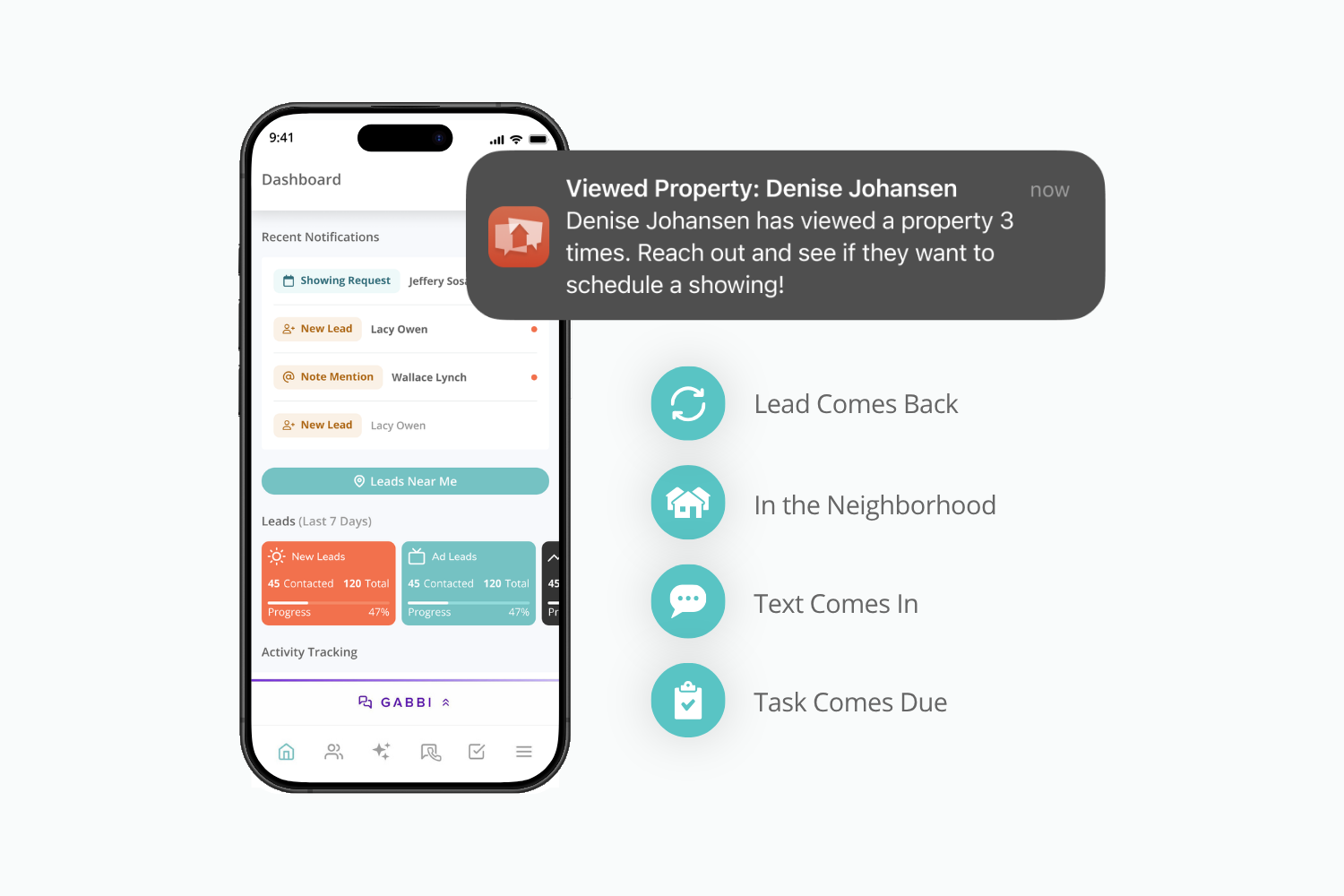
A lead views the same listing for the third time while you are mid-showing or standing in the school pickup line. That third view is a signal, and a real estate CRM app on your phone tells you the moment it happens, so you can reach out while the listing is on their mind.
Agents live in moments like this, scattered across days that rarely happen completely at a desk. Your business is wherever you are, and so is the chance to grow it. How smoothly your business runs, and how much it grows, depends on what you can reach right there in the palm of your hand.
Brivity is real estate platform technology, built by real estate agents for real estate agents. Brivity GO is the real estate CRM app that helps agents stay connected to their business, wherever their day takes them.
A Real Estate CRM App for the Moments Between Appointments
The Bureau of Labor Statistics says real estate agents “spend much of their time away from their desks,” with schedules that “often include evenings and weekends to accommodate clients’ schedules.” Mileage-tracking app Everlance says agents can realistically log 18,000 to 22,000 business miles a year. By our math, that’s about 12 to 15 hours behind the wheel each week.
Each of those hours includes gaps when a lead can reach out before you have a chance to see it. Google calls these moments micro-moments: high-intent, high-expectation, context-dependent moments. In these moments, they expect quick communication and are most likely to convert when they get it. One example an agent would experience is a lead returning to a listing the third time.
Here are four ways a real estate CRM app keeps you tuned in to those micro-moments while you’re on the go:
Number 1: A Lead Comes Back
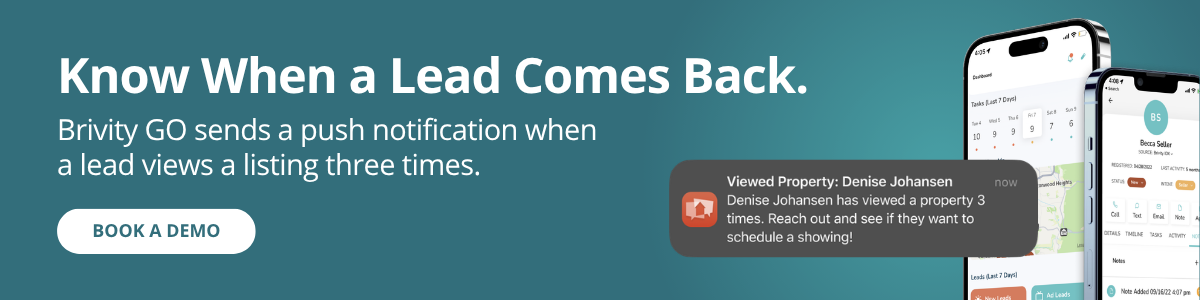
In the NAR Generational Trends report, 95% of buyers rate responsiveness as very important, and a returning lead is your chance to show it. If your tools tell you a lead is back on a listing, reach out within the hour with one specific line, like “I noticed 124 Maple Street looks like a great fit for you. Want to see it in person?”
In Brivity GO, a push notification tells you when a lead views a listing three or more times or sends a showing request, from wherever you are. Your website’s activity feeds into the real estate CRM app, so the lead’s history is accessible when you call.
Number 2: You Are in the Neighborhood
After an open house or between appointments, call the leads who live nearby. “I was just showing homes in your neighborhood and wanted to say hi.” If you keep addresses with your contacts, a quick zip code search shows who is nearby.
The Leads Map in Brivity GO does that search for you, turning your database into a map of leads near your current location. Filter by status to find your hot leads, then tap to call, text, or add a note. The neighborhood you are already in becomes your next conversation.
Number 3: A Text Comes In
Much of the work in real estate happens over text. According to NAR, 72% of buyers value property information via text, and 93% of agents text current clients, more than any other channel.
Answer fast and make it personal. Keep saved replies for the basics, like “Confirming our showing tomorrow at 2,” then add one personal line.
When a new listing hits, and you think, “Hey, John would love this” or “Edith has been waiting for something like this.” Send the listing right then.
In Brivity GO:
- Texts arrive as push notifications
- Text templates pull in the contact’s details through placeholders
- You can send photos, videos, GIFs, and listings right from your phone
- Share any listing with a contact by text or email right from your phone
- Calls and texts show your dedicated business number so your cell can stay personal
- Calls and texts through Brivity GO are logged to the contact’s record
A fast personal reply can turn a text into an appointment.
Number 4: A Task Comes Due
Being on the go comes with unscheduled pockets of downtime. Use some of that time for a five-minute sweep of your to-dos, wherever you keep them. Look at what is due today and what slipped, clear the quick ones, and get back to your day.
With Brivity GO, that sweep is built in. Tasks sort into overdue, due today, and upcoming, with call, text, and email available inside each one, so a follow-up is a tap away. Add a note or tag a teammate with an @ mention without leaving the task. Tasks stay tied to your contacts and deals, and your activity is tracked automatically.
Staying on top of tasks while you’re on the go keeps your business moving toward growth.
Laptop Closed, Lead Converted
Everything above comes down to one idea: you can step away and still be within reach. Jason Lincoln, who leads the Lincoln PNW Team in Washington State, put that to the test on vacation.
On a trip to Alaska to see Denali, he left his laptop closed. Cell service came and went. Then a notification came through from a client who wanted to talk. Jason opened Brivity GO, his real estate CRM app, used it to call the lead back, and handled it right there. He got to enjoy his vacation without missing the chance to convert a buyer when they were ready.

"Brivity GO just gives you your business in your hand. That's the best way to understand it.”
Break Away From the Desk
The hours you spend out and about are part of the job. Brivity GO helps you keep them productive. A lead views a listing for the third time, and you know. A client texts and you answer between showings. Contacts from your open house are one tap away, and you can finish today’s task from the car, so you can get on with your day. Each of those is a conversation handled and a chance at another appointment, another listing, another closing. Add them up over a month, and you have a bigger business, built from the same hours you work now.
Your business can be wherever you are. Brivity GO is the real estate CRM app that takes it with you.
Ready to Grow Your Business?
See Brivity in action.
A 30 minute call might save you thousands of dollars and hours down the line.

Real Estate Prospecting: 5 Proven Habits From Chris Heller
Real Estate Listing Marketing: 5 Smart Moves for More Deals
5 AI Prompts That Work Better Inside Your CRM

Your Database Should Already Know Who to Call Next
How Brivity Closes the Open House Gap Between Effort and Results
Gabbi: The Real Estate AI Assistant Trained by Years of Real Conversations

Track Team Production in Real Time with Brivity’s Agent Accountability Dashboard
How Brivity Opportunities Helps Real Estate Agents Find and Convert More Sellers

The Power of the Brivity Platform CMA Tool: Win More Listings with Confidence
